IT Solutions
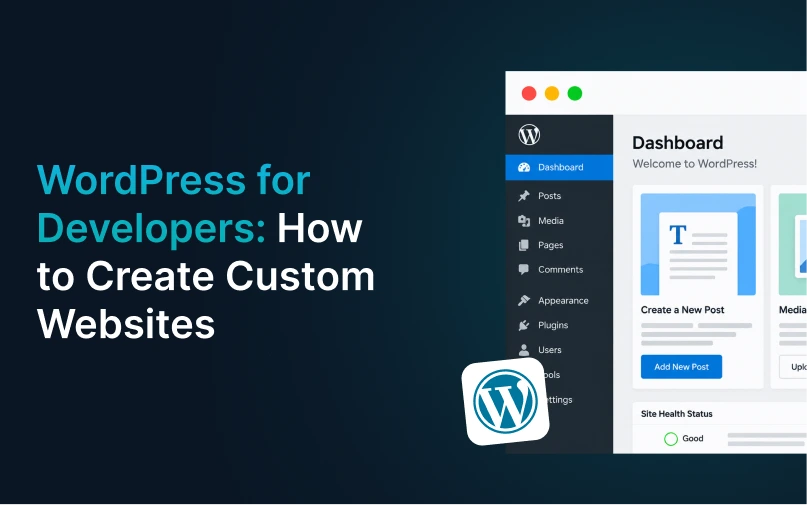
WordPress for Developers: How to Create Custom Websites
Building a website is no longer just about picking a template, adding some text and hitting publish. Today’s business websites need to reflect their brand, load quickly, perform well on mobile devices, and give visitors a seamless experience. That’s where WordPress for Developers comes in useful. WordPress provides a good base for developers to work […]
On this page
Building a website is no longer just about picking a template, adding some text and hitting publish. Today’s business websites need to reflect their brand, load quickly, perform well on mobile devices, and give visitors a seamless experience.
That’s where WordPress for Developers comes in useful. WordPress provides a good base for developers to work from, but it also allows them to develop custom features and layouts. So no matter if you want to build a business website, blog, online shop, or service platform, WordPress can be customized to suit your project.
With the right approach to WordPress Development, developers are able to build websites that are easy to manage and ready to grow as the business grows.
Table of Contents
Toggle- What Is WordPress for Developers?
- Why Choose WordPress for Developers?
- Steps to Create a Custom WordPress Website
- WordPress Development and Plugins
- Custom Themes vs Ready-Made Themes
- Making WordPress Websites SEO-Friendly
- Website Security in WordPress
- Improving Website Performance
- Using WordPress as a CMS
- How WordPress Development Services Help Businesses
- Common Mistakes to Avoid
- FAQs
- Conclusion
- Build Your Custom WordPress Website with Bytewebsol
What Is WordPress for Developers?
WordPress for Developers is about taking WordPress to the next level beyond simple themes and plugins to build out websites with custom designs, features, functions and integrations.
WordPress is a popular CMS but developers are able to use the code directly to develop a website based on the needs of the client.
A developer could be working with:
- Custom WordPress themes
- Custom plugins
- PHP
- HTML and CSS
- JavaScript
- WordPress APIs
- Database functions
- Third-party integrations
- Custom post types
- WooCommerce
This approach gives companies more control over the design and performance of their website.
Why Choose WordPress for Developers?
For Developers, one of the biggest advantages of WordPress is flexibility. Developers aren’t restricted to the features of a pre-made theme.
A custom WordPress site can be designed to the unique needs of a business.
Some of the common benefits are
1. Flexible Website Design
Developers are able to create layouts that fit a brand rather than forcing a business into a standard template.
2. Custom Features
Need a booking system, calculator, membership area or some custom form? These features have to be built and integrated to the website.
3. Easy Content Management
What makes WordPress for Developers is that it’s easy for the website owner to update pages, blogs, images and other content without changing the code.
4. Better Control
Custom development gives developers more control over the structure, performance, security, and functionality of a website.
5. Easy to Scale
You can easily scale a WordPress for Developers as your business grows.
Steps to Create a Custom WordPress Website
Planning is the first step to a good WordPress Development process. Getting straight down to the coding can cause problems later.
Here’s a simple process developers are able to use.
Step 1: Understand the Project
Write code after you understand what the website needs to do.
Ask questions like:
- Who will use the website?
- What products or services will be promoted?
- What pages are required?
- What features are needed?
- Does the website need third-party integrations?
- Is an online store required?
- What type of content will be published?
Proper planning precludes needless changes down the road.
Step 2: Create the Website Structure
Next step is to design the website structure.
For example, a business website might contain:
- Home
- About Us
- Services
- Blog
- Case Studies
- Contact
- FAQ
A clear structure also makes it easier for visitors to quickly find information and helps improve SEO.
Step 3: Choose or Build a Theme
Developers are able to select an existing theme or create a custom theme.
Using a custom theme is beneficial when the business needs a unique look or special functionality.
“WordPress for Developers means building the theme around the design, not the business requirements to a theme.
Step 4: Develop Custom Features
This is where development gets more flexible.
WordPress Developer can create customised functions as per the requirement of the project. These can be:
- Custom forms
- User dashboards
- Search filters
- Booking systems
- Product features
- Membership systems
- API connections
- Custom admin features
Custom plugins can also be developed if a feature is too specific for an existing plugin.
WordPress Development and Plugins
Plugins are one of the main reasons why WordPress is so flexible. They allow developers to add features without having to build everything from scratch.
However, having too many plugins can cause problems.
A developer should verify:
- Plugin quality
- Last update date
- Compatibility
- Security
- Performance impact
- Support availability
A good WordPress for Developers should never just install a plugin for every little thing. Sometimes a light-weight custom solution is better.
Custom Themes vs Ready-Made Themes
Both options can be made to work, depending on the project.
Ready-Made Themes
Pre-made themes can be helpful when:
- The budget is limited
- The website needs to launch quickly
- Basic features are enough
- A standard design is acceptable
Custom Themes
When are Custom Themes useful?
- A unique design is required
- Performance is important
- The website needs special features
- The business wants more control
- The website is expected to grow
Custom WordPress Development Services are best for larger projects and give you more control over the final website.
Making WordPress Websites SEO-Friendly
Don’t do your SEO after you finish developing the website.
A developer can lay a better foundation by focusing on:
- Clean website structure
- Mobile-friendly layouts
- Fast loading pages
- Proper heading structure
- SEO-friendly URLs
- Image optimization
- Internal linking
- XML sitemap support
- Schema markup
- Crawl-friendly navigation
Developers may also work with SEO teams to make sure technical and content needs are met.
Good WordPress for Developers practices can make the website easier for users and search engines to understand.
Website Security in WordPress
Security is always part of WordPress for Developers.
Outdated themes, plugins or even WordPress itself can make the website vulnerable.
Developers should concentrate on:
- Maintaining WordPress Updates
- Update plugins and themes
- Using good passwords
- Limit users’ unnecessary access
- Adding SSL
- Trusted Plugins.
- Making regular backups
- Suspicious activity monitoring
Custom code should be tested before it is added to a live website as well.
Improving Website Performance
Website speed can impact user experience and SEO. If your site loads slowly, visitors may leave before they’ve found what they’re looking for.
WordPress for Developers can improve by performance during:
- Compressing images
- Using modern image formats
- Reducing unnecessary plugins
- Minifying CSS and JavaScript
- Using caching
- Choosing reliable hosting
- Removing unused code
- Using a CDN when needed
You want to check performance on desktop and mobile devices.
Using WordPress as a CMS
WordPress began as a blogging tool but has evolved into a powerful CMS.
Content Management System Development allows developers to build different content structures as per the business requirements.
For example, a company may build custom content types for:
- Services
- Products
- Team members
- Locations
- Case studies
- Events
- Reviews
This makes it easier to work with large sites.
How WordPress Development Services Help Businesses
Professional WordPress development services help businesses create websites that are in line with their real goals.
A development team can help you with:
- Custom website development
- Theme development
- Plugin development
- WooCommerce development
- Website migration
- API integration
- Website maintenance
- Security updates
- Performance improvement
- Technical SEO support
Experienced developers may also help you reduce technical problems as your website grows.
Common Mistakes to Avoid
When using WordPress for Developers some mistakes can cause issues later.
Don’t:
- Installing too many plugins
- Using outdated themes
- Ignoring mobile users
- Adding unnecessary code
- Skipping backups
- Ignoring website security
- Using poor-quality hosting
- Building without a clear structure
- Forgetting SEO during development
A simple, well designed website is usually easier to manage than one crammed with unnecessary features.
FAQs
1. Is WordPress good for custom website development?
Yes. WordPress for Developers has hundreds of choices for custom themes, plugins, functions, APIs and content structures. It can be used for simple and complex sites.
2. What is a WordPress for Developers?
A WordPress for Developers builds, customises, maintains and improves WordPress websites. Their work can include themes, plugins, custom functionality, integrations, security, and performance.
3. Does WordPress work for business websites?
Yes. WordPress can be used for business websites, blogs, service websites, online stores, portfolios, membership sites and other business projects.
4. What is WordPress Development Services?
WordPress Development Services: Custom website development, theme and plugin development, WooCommerce development, migration, maintenance, API integration and performance optimisations.
5. Can WordPress be used for large sites?
Yes. WordPress can support large, feature-rich websites with the right hosting, coding, database, caching, security and development practices in place.
6. Is WordPress Good for CMS Development?
Yes. WordPress provides a flexible foundation for CMS Development as developers are able to build custom content types, fields, user roles and website features.
Conclusion
WordPress for Developers gives businesses more freedom than just choosing a theme and adding content. Developers are able to build custom layouts, features, integrations and content structures to solve real business needs.
A successful website starts with an attractive design. It must be secure, fast, mobile-friendly, easy to manage and ready for the future.
With proper WordPress Development, businesses can develop a website that is functional for both users and internal teams. WordPress is a good choice whether you’re creating a small business website or a large digital platform, as long as you plan and develop it correctly.
Build Your Custom WordPress Website with Bytewebsol
Looking for a website designed for your business, not just an off the shelf template?
Bytewebsol can help you plan and develop a custom WordPress website that is design-centric, functional, fast, SEO-friendly and easy to manage content.
Get in touch with Bytewebsol today and talk about your website needs and start creating a WordPress website that is customised to your business goals.